Dynamic Reporting is a powerful, customizable reporting tool available in GovDash that empowers you to analyze and segment data within multiple product areas, including Capture, Proposal, and Contract. This feature provides teams with greater flexibility and visibility into their workflows, enabling better decision-making and performance tracking.
Getting Started
To begin using the Dynamic Reporting tool:
Navigate to Capture, Proposal, or Contract.
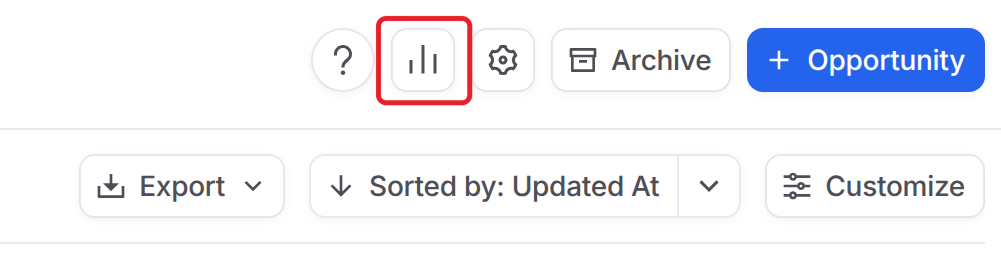
Click the reports icon (the small bar chart) in the top right. The Reporting window opens.
Key Capabilities
Workflow-Level Reporting
Dynamic Reporting supports reporting for each workflow type within GovDash, allowing you to drill into the relevant performance data based on your business process.
Segmentation by Key Dimensions
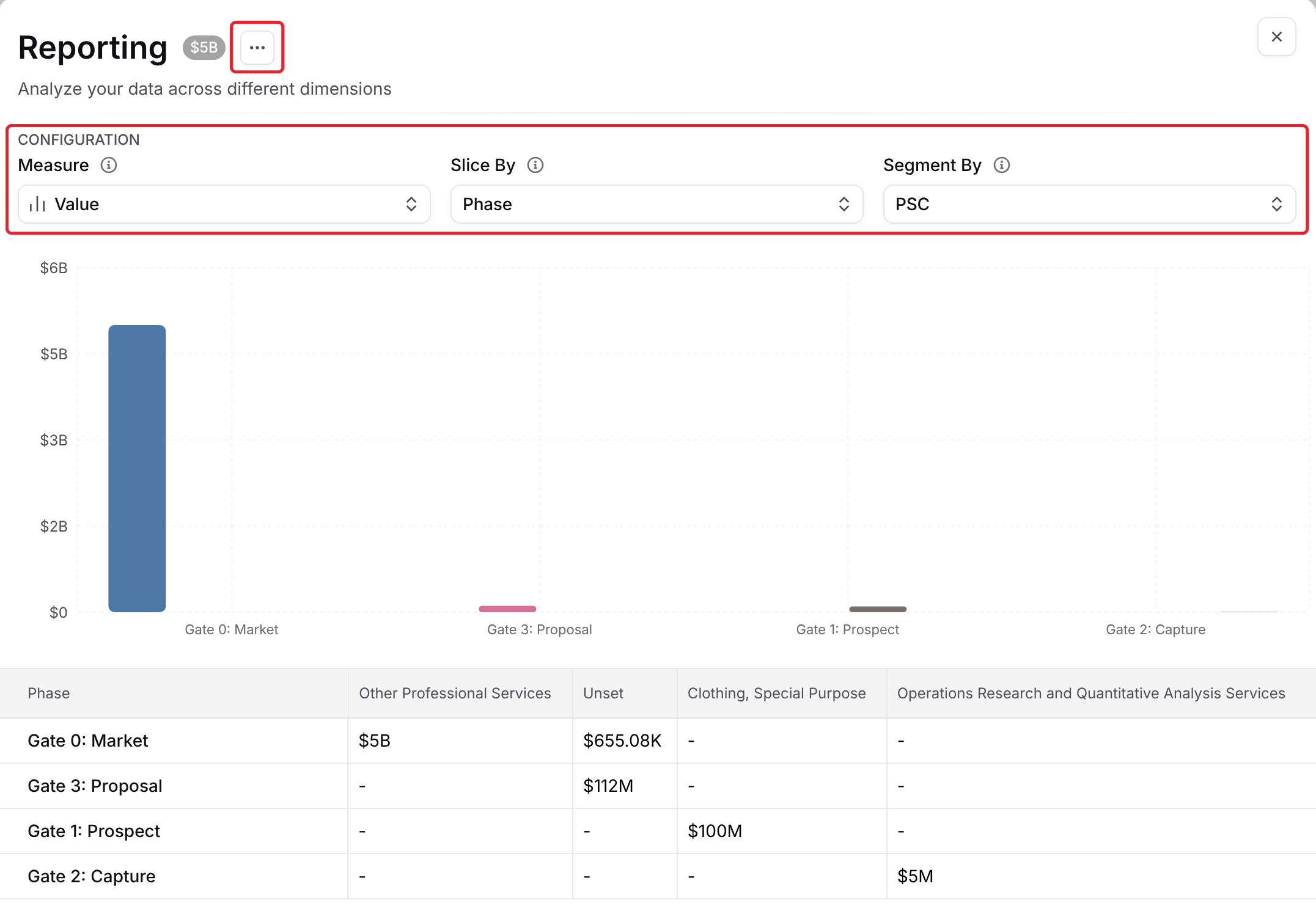
Use the three settings under Configuration to build your report:
Measure: what the report adds up. Choose Value (total contract value), Count (number of opportunities) or Age (age of each opportunity).
Slice By: how opportunities are grouped into bars and rows, for example by Phase.
Segment By: how each group is split into columns, for example by PSC.
You can slice and segment by Phase, Agency/Dept, NAICS, PSC, Set Aside, Role, Notice Type, Source and Primary Offeror, plus your team's custom fields.
For example:
Set Measure to Age and Slice By to Notice Type to see how long opportunities of each notice type have been open.
Set Slice By to Agency/Dept to see where your pipeline value sits by agency.
Set Slice By to Phase and Segment By to Set Aside to see the mix of opportunities in each capture phase.
Multi-Level Filtering
Apply multiple filters at once to narrow your results. This enables you to create highly tailored reports, whether you're tracking proposals, managing contracts, or analyzing capture phase progress.
Excel Export
Want to work offline or share your findings? Click the three dot menu next to Reporting and choose Export to Excel so you can continue your analysis in other tools or include it in presentations.
Where It’s Available
The Dynamic Reporting tool is fully integrated into the following GovDash modules:
Capture
Proposal
Contract
Whether you're running capture on new opportunities, developing proposals, or managing existing contracts, Dynamic Reporting offers the insights you need at each stage.
Tips for Using Dynamic Reporting Effectively
Export filtered data to Excel for deeper analysis, team reviews, or sharing with stakeholders who don’t have access to GovDash.
Combine settings, for example Measure set to Age, Slice By set to Agency/Dept and Segment By set to Phase, to create highly specific reports that surface insights tailored to your strategy.
Set a regular reporting cadence (weekly or monthly) to monitor pipeline changes and measure progress against team goals over time.
Align reporting views with team KPIs, such as proposal submission rates, opportunity win/loss ratios, or average capture duration.