Before You Begin…
These steps must be completed by your Google Workspace and GovDash admin, as the administrator will need to configure GovDash Authentication Settings.
Google SSO is only supported for Google Workspace domains with a verified primary domain. Personal Gmail accounts (@gmail.com) and consumer Google accounts are not supported.
Setup
Confirm that your organization uses Google Workspace and that your primary domain is verified in the Google Admin console. You can confirm this under Account → Domains.
Navigate to GovDash Authentication settings.
Under Google SSO, toggle on Allow login via Google SSO.
Enter your Google Workspace Primary Domain in the field under Configuration (for example, example.com). This must exactly match the verified primary domain associated with your Google Workspace.
Click Enable to complete the setup. Once enabled, any user invited to your GovDash team whose email address belongs to this domain will be able to sign in with Google SSO.
After Google SSO is fully set up and verified working, you can optionally disable GovDash Authentication (one-time email codes) in the Authentication tab of the GovDash Settings page. We recommend waiting until after the first successful Google authentication before doing so.
Provisioning Users
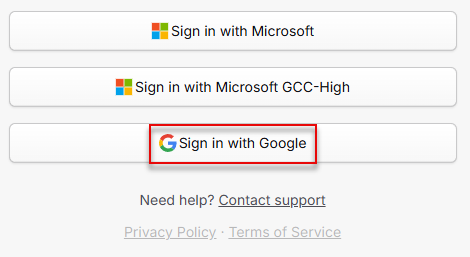
After completing setup, users can navigate to the GovDash login page. Users can click Sign in with Google to sign in using the configured settings. Users will be redirected to Google to authenticate and then returned to GovDash.
Error Messages
FAQ
Where can I find my Google Workspace primary domain?
You can find your primary domain in the Google Admin console under Account → Domains. The primary domain is typically the domain used for your employees' email addresses (for example, the part after the @ in jane.doe@example.com).
Can I use Google SSO with a personal Gmail account?
No. Google SSO in GovDash is only supported for Google Workspace accounts with a verified primary domain. Consumer Google accounts (@gmail.com) cannot be used.
What happens if a user's email address does not match the configured domain?
Users whose email addresses do not belong to the configured Google Workspace primary domain will not be able to sign in with Google SSO, even if they have been invited to your GovDash team. Those users will need to use another enabled login method.
How do I disable single sign-on (SSO) and go back to GovDash OTP codes?
To disable Google SSO from your GovDash team, toggle off Allow login via Google SSO within GovDash Settings → Authentication, and ensure GovDash Authentication is enabled to re-enable email one-time passcode and passkey login.
Note that at least one login method must remain enabled for your team.