Overview
Discover includes SLED (State, Local, Education) opportunities from state procurement websites across the U.S. GovDash adds new SLED opportunities once a day, and each one links back to the official bid website.
Finding SLED Opportunities
Go to Discover, select the Search tab, then select Public.
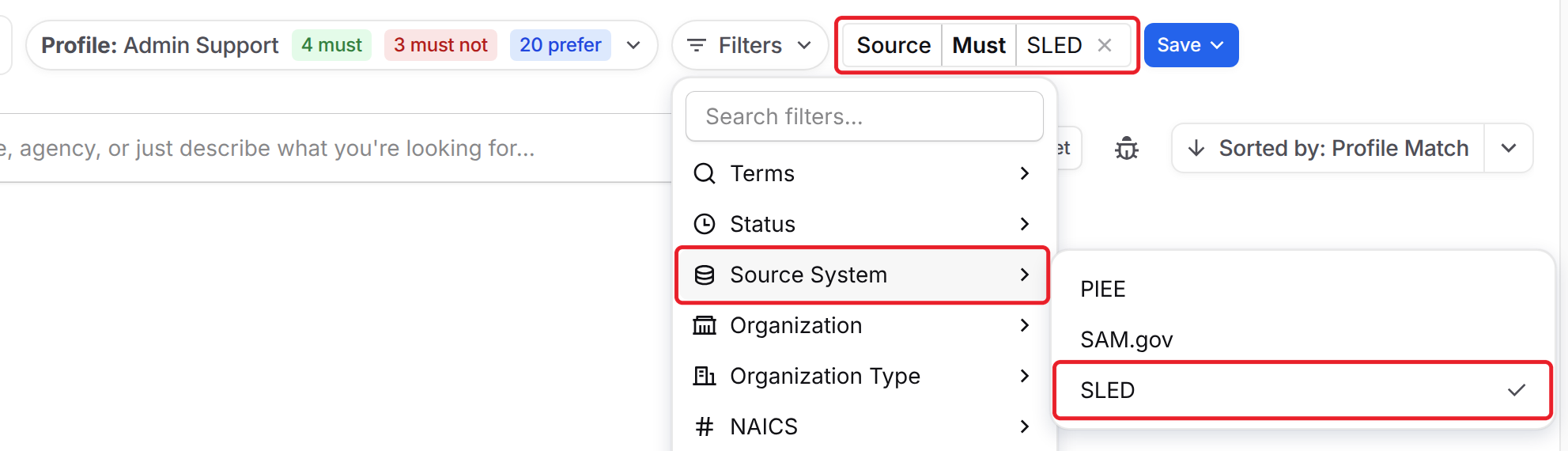
Click Filters, then Source System, and select SLED.
A Source Must SLED filter appears next to Filters. To narrow your results, add other filters such as Status, Organization, Location or Due Date.
Not seeing any SLED opportunities?
Your search profile's criteria still apply. If its MUST MATCH criteria only include federal agencies or codes, SLED opportunities are hidden. Click the profile name, then Switch Profile, and select No profile or a profile built for state and local work.
SLED Opportunity Cards
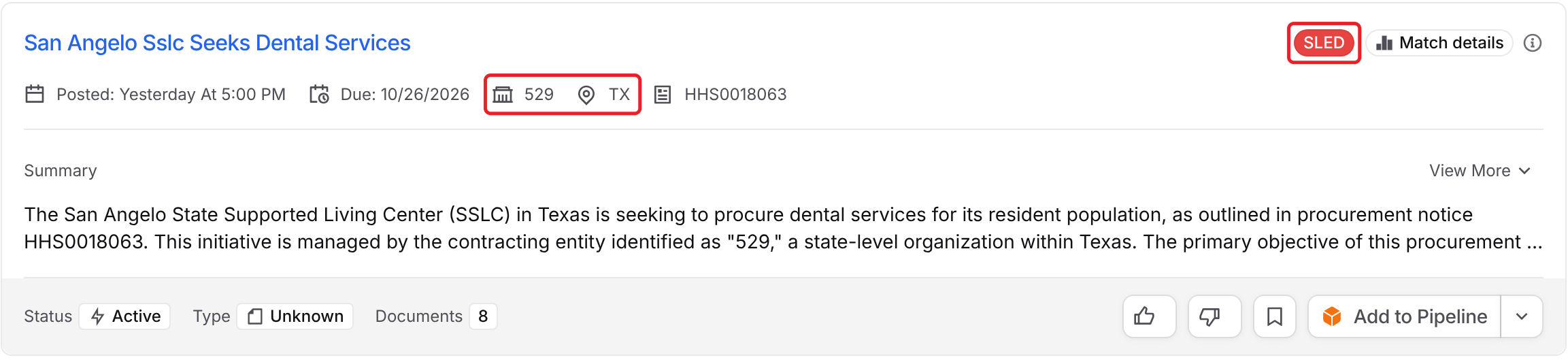
SLED opportunities have a red SLED tag. Next to the dates, the card shows the state organization and the state, such as TX.
SLED Opportunity Pages
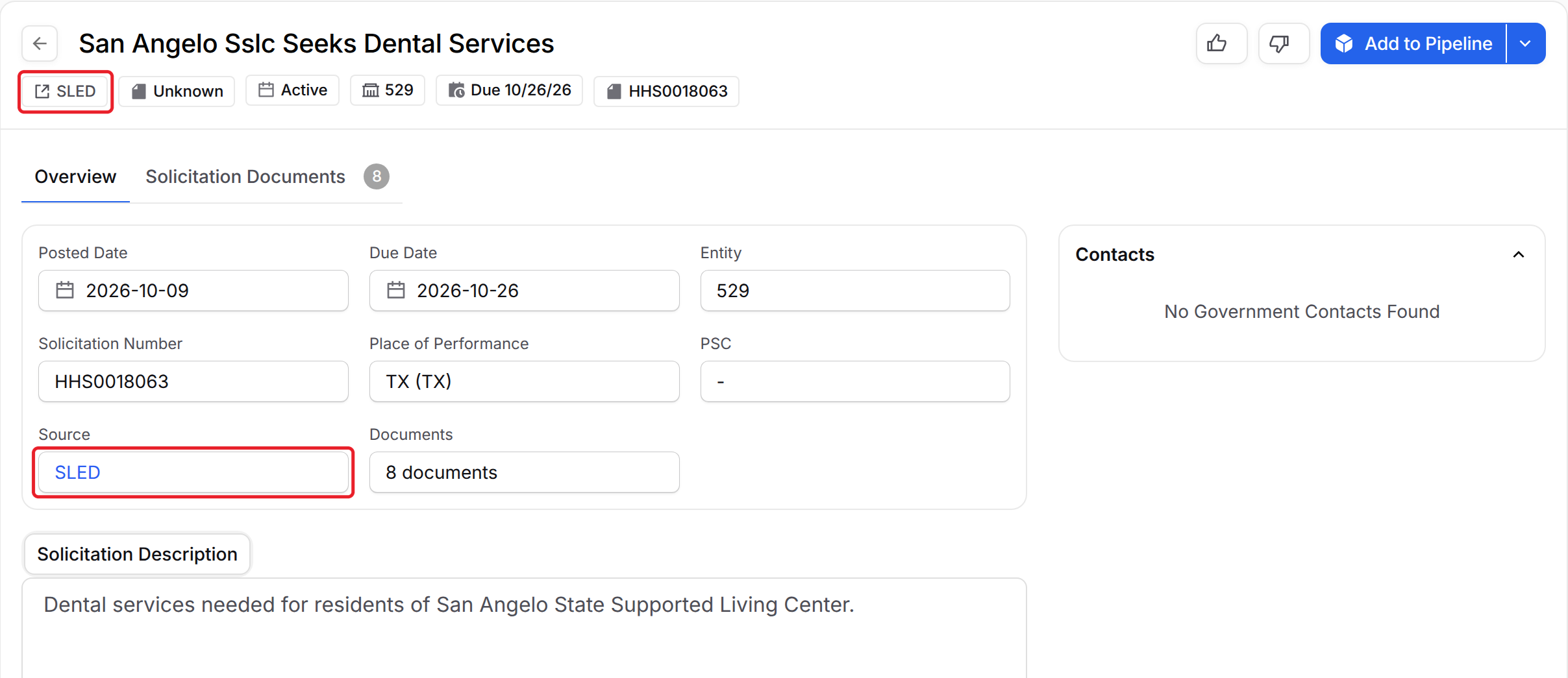
Click a card's title to open its opportunity page. SLED pages work like other opportunity pages, with a few differences:
Click SLED at the top of the page, or the SLED link under Source, to open the opportunity on the state's bid website.
Entity shows the state organization instead of Agency.
Solicitation Description shows the description from the state website.
Solicitation Documents lists the files downloaded from the state website.
There's no Similar tab, and many states don't list contacts.
Adding SLED Opportunities to Your Pipeline
When you add a SLED opportunity to your Pipeline, its documents are automatically downloaded and attached to the record. This makes it quick and easy to get started with your capture process, including document shreds, capability matrices and team collaboration functionality.
List of State Procurement Sources
GovDash utilizes the following state sources in order to source opportunities in Discover:
FAQ
How often are new SLED opportunities added?
GovDash adds new SLED opportunities to Discover once a day.
Why don't I see any SLED opportunities?
Your search profile's criteria still apply to SLED results. If the profile's MUST MATCH criteria only include federal agencies or codes, SLED opportunities are hidden. Switch to No profile or a profile built for state and local work.
Which states does GovDash pull SLED opportunities from?
See the List of State Procurement Sources table above for every state and territory source GovDash uses.
Why doesn't a SLED opportunity have a Similar tab or contacts?
The Similar tab is only available for SAM.gov opportunities. Contacts only appear when the state lists them on its bid website.