Outcome Tracking
Once your proposal has either been submitted, you’re deciding to no bid, or if you stop working the opportunity for any reason, you can track the outcomes of your proposal by using the three-dot menu on the Active Proposals page.
Submission Options
On the Active Proposals page, click the three-dot menu in the Actions column of a proposal, then choose Mark as one of these outcomes:
In Evaluation
Submitted
No Bid
Canceled
Won
Lost
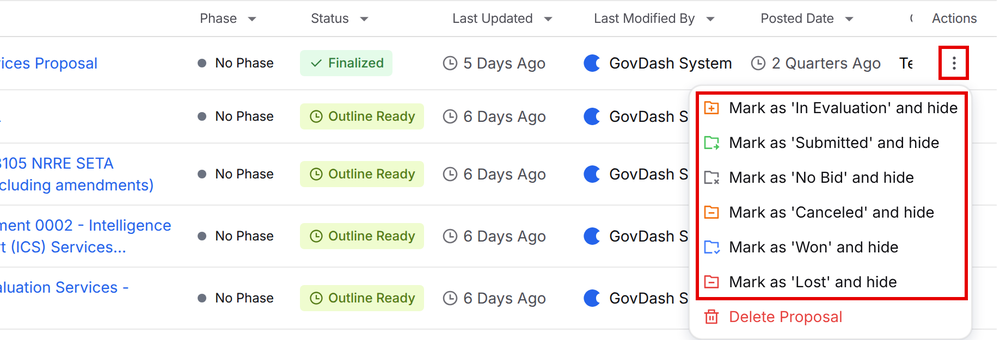
The proposal is hidden from Active Proposals and moved to that category in the Proposal Archive. For example, selecting Won moves it to the Won category. You can do this during any proposal phase, for example when you decide not to bid.
If you use the Kanban layout, finalized proposal cards also show a Did you submit? drop down, so you can mark the outcome right from the card.
Proposal Archive
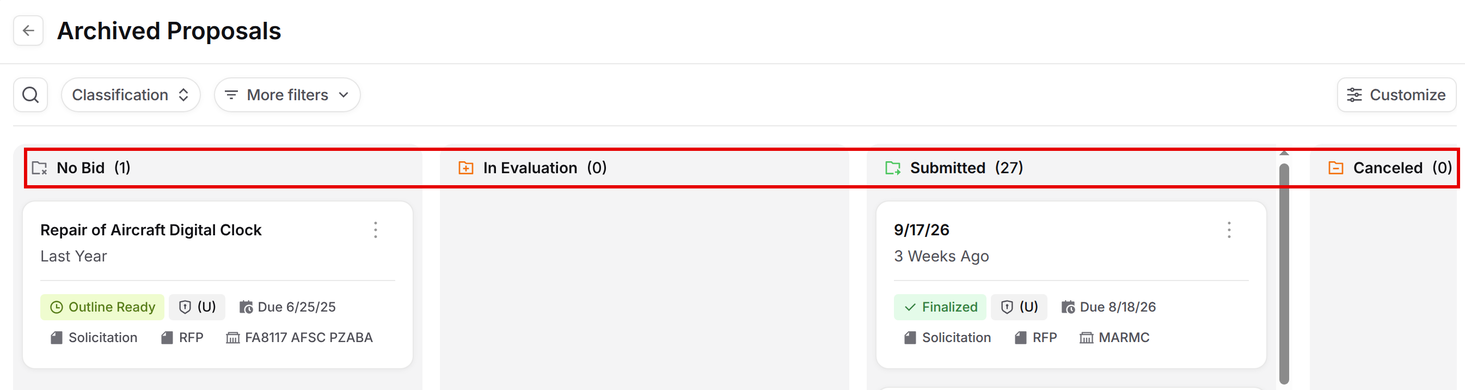
To access the proposal archive, click the Archive button in the top right of the Active Proposals page.
(1).png)
The Archive has six categories: No Bid, In Evaluation, Submitted, Canceled, Won and Lost. Scroll right to see all of them. You can drag and drop proposals between categories.
Unarchiving Proposals
To unarchive a proposal, click the three-dot menu on any proposal listed in any category and select Unarchive. This will place the proposal back in your Active proposal list. For proposals In Evaluation, the same menu also lets you mark the final outcome once you hear back.
.png)
FAQ
How can I track the outcomes of my proposal?
You can track the outcomes of your proposal using the three-dot menu on the Active Proposals page after your proposal has been submitted, if you decide to no bid, or if you stop working on the opportunity for any reason.
What does marking a proposal as 'In Evaluation' indicate?
Marking a proposal as 'In Evaluation' shows the proposal was submitted and you're waiting on the result. When you hear back, open the three-dot menu on the proposal in the Archive and mark the outcome.
Can I archive my proposals during any phase?
Yes, you can archive your proposals during any proposal phase, for example by marking it No Bid or Canceled.
How do I transition a won proposal to Contract?
To transition a won proposal to Contract, you must create a new contract in Contract and upload the completed contract award and PWS. For more information on this process, please see our guide here.
What is the process to unarchive a proposal?
To unarchive a proposal, click the three-dot menu on the proposal and select Unarchive. It moves back to your Active Proposals list right away.