The Line Items tab is where you build and manage contract line items (CLINs) in GovDash Pricer. This is the final step where your pricing model becomes structured contract output.
Line items can be extracted from source documents, added manually, calculated from selected labor categories, or created and updated through Dash. The tab connects the pricing model to the CLIN- and SLIN-level structure used in proposal schedules.
As labor, indirect rates, escalation, and fee assumptions change, the totals shown in this tab update to reflect the current pricing model.
What You Use This Tab For
Use the Line Items tab to:
• Review extracted CLINs and nested SLINs
• Set the workbook's CLIN numbering and period-encoding schema
• Create, edit, and delete line items
• Build labor line items from selected labor categories
• Add manual labor, materials, ODC, travel, subcontract, or other line items
• Record PoP ranges or dates, contract type, PSC code, and NSP status
• Filter, sort, expand, and customize the Contract Line Items table
• Review contract, labor, non-labor, base, option, unassigned-period, and fee context
• Show or hide pricing values and export a CLIN Pricing Schedule
Understanding the Summary Cards
At the top of the Line Items tab, Pricer displays summary cards that help you quickly validate your overall contract pricing.
.png)
Total Contract Value
Total Contract Value uses the first available source in this order: the Year-by-Year Costs grand total when period pricing is available; the labor-category burdened-cost rollup when labor has effort; otherwise the sum of priced line items. Informational SLINs are excluded from line-item totals because their parent CLIN already carries the price.
Labor vs Non-Labor
This card lists Labor and Other values. When labor categories have effort, Labor uses their burdened-cost rollup; otherwise it uses labor-category line-item amounts. Other uses non-labor line-item amounts. Use the values rather than the bar alone when labor-category effort is present.
Base vs Options
This card compares Base Period and Option Years. When Year-by-Year Costs exist, it uses those totals. Otherwise it classifies priced line items from a linked PoP range or period text. If priced rows do not resolve to base or option, the card also shows Unassigned Period.
Fee / Profit
This card shows the current Target Fee percentage. When labor categories have effort and the target fee is greater than zero, it also shows an approximate included amount. If the fee is not set, the card points to Overview; you can also set the workbook fee in Indirect Rates.
Reviewing Labor Rollups Before Building CLINs
If labor categories include rates and effort values, the Line Items tab displays a collapsible Labor Categories Summary section.
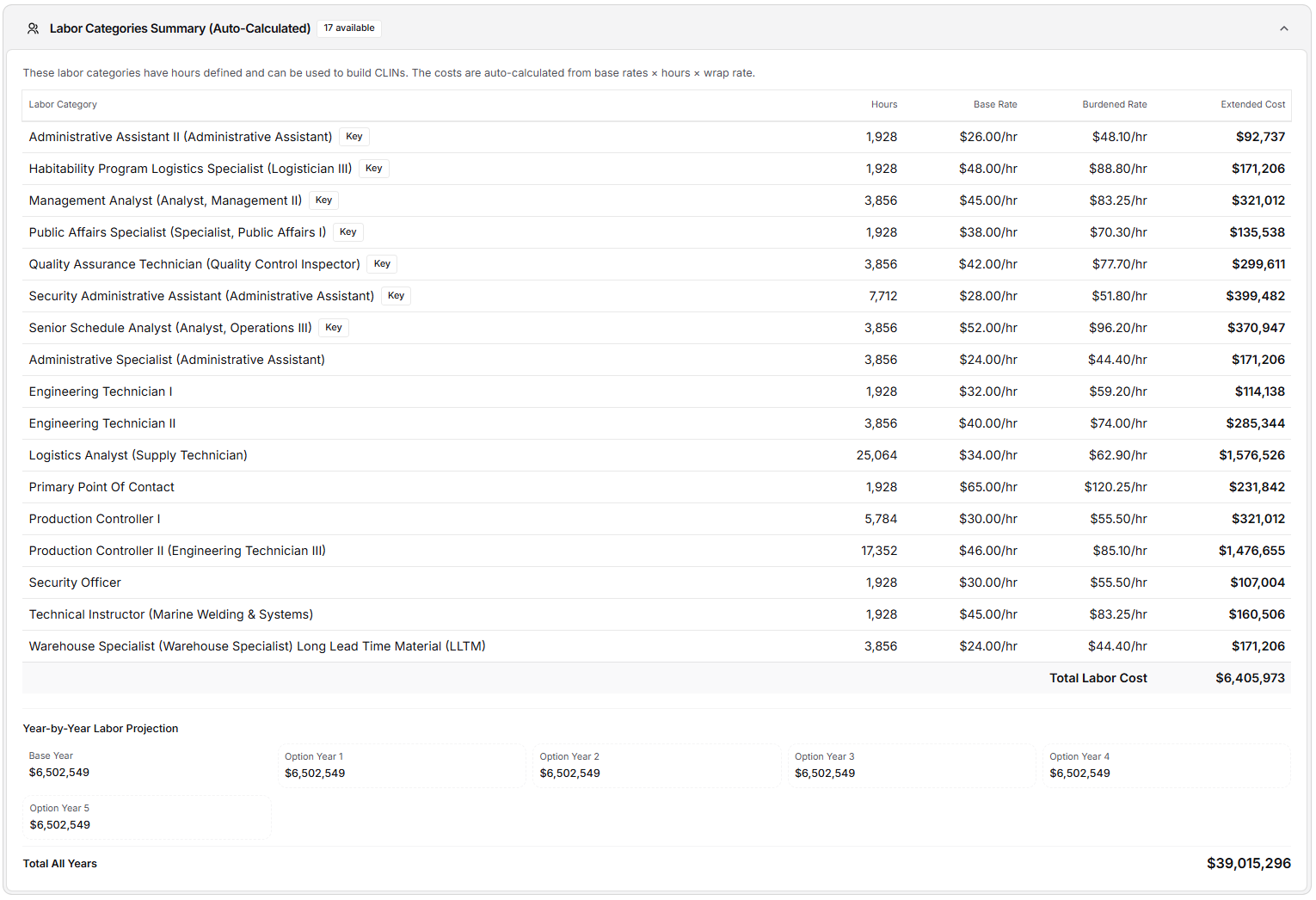
This section is designed to help you confirm labor pricing assumptions before creating labor-based line items.
The expanded card shows every labor category with Hours or FTE effort, including:
Labor Category
Hours
Base Rate
Burdened Rate
Extended Cost
Total Labor Cost
Burdened Rate uses the category's entered fully burdened rate when present; otherwise it uses the category's rate-pool multiplier.
If multiple years are configured, this section also includes a year-by-year burdened labor projection. Option years are visually distinguished, and the all-years total is shown for validation.
The CLIN Table
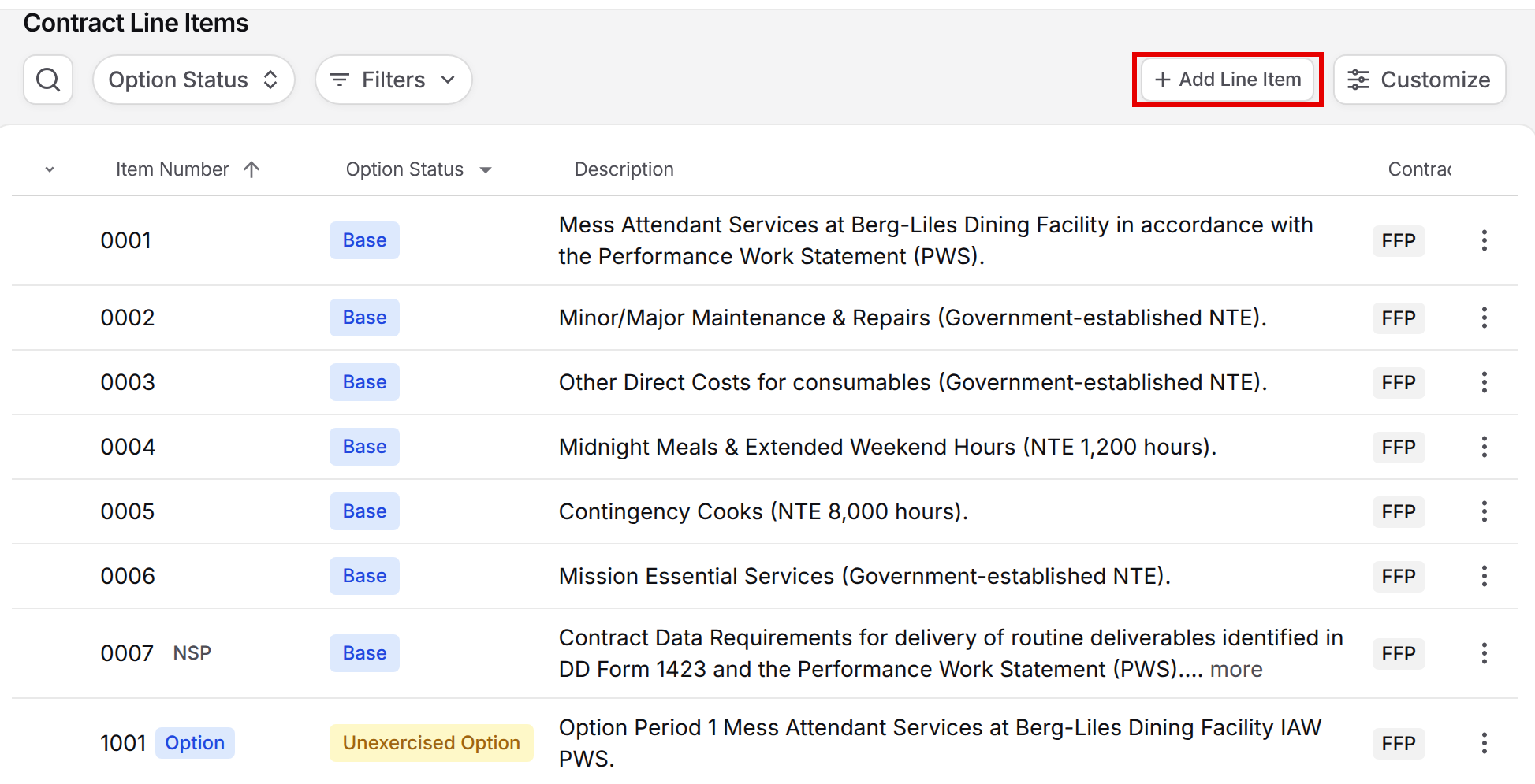
The main area of the Line Items tab is the Contract Line Items table. This is where you define the structure of your pricing output.
By default, the table shows these columns. Use Customize to change which columns appear.
Item Number
Option Status
Description
Contract Type
Quantity
Unit Price
Total Price
Start
End
Each row includes actions for editing or deleting the CLIN. At the bottom of the table, Pricer displays a Total CLINs Value row to summarize the full value of all line items entered. You can also ask Dash to add, edit, or remove line items for you.
CLIN Numbering Schema
Above the table, the CLIN schema banner summarizes the current format, period encoding, and enabled SLIN types. Select Edit to change Format, Period encoding, Period count, Uses separately-priced SLINs, or Uses informational SLINs.
The supported formats are FAR 4-digit period-encoded, FAR 4-digit, dot notation, short numeric, alpha-prefix, and free form.
Changes immediately affect new suggestions and number validation.
Adding a New Line Item
To create a CLIN, click Add Line Item within the CLIN table.
The Add Pricing Line Item dialog includes:
Item Number
Period
Description
If the opportunity has base and option years configured, the Period field will include selectable options. If contract periods are not structured, the period can be entered as free text. Description is required for all line items.
GovDash Pricer supports two entry modes when creating CLINs:
Option 1: Calculate from Labor Categories (Recommended for Labor CLINs)
This method is designed for labor CLINs and keeps line items aligned with the labor model. When enabled, you select one or more labor categories. Only categories that have effort entered (hours or FTEs) are available for selection.
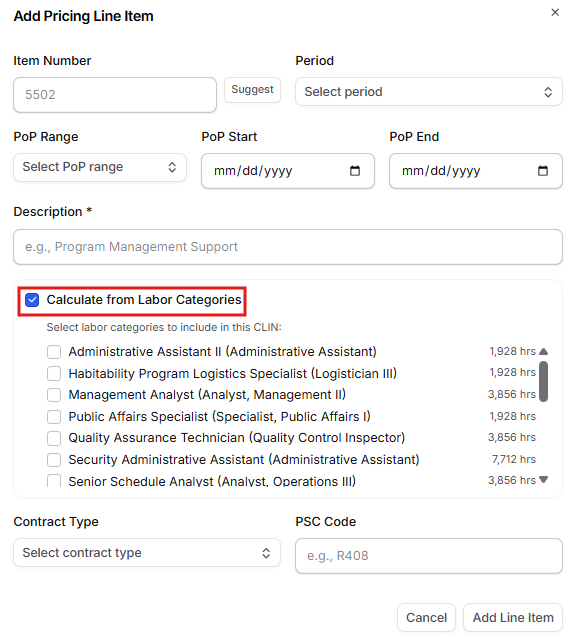
Once selected, Pricer automatically calculates:
Total hours
Total cost
The CLIN is saved with labor-specific structure:
Category is set to LABOR
Unit is set to Hours
Quantity is set to the selected labor hours
Unit Price is calculated as total cost divided by total hours
Amount is calculated as total cost
Pricer also retains links to the labor categories used, which provides traceability and ensures the CLIN remains connected to labor assumptions.
This is the recommended approach whenever labor categories are driving contract value.
Option 2: Manual Entry (For Non-Labor CLINs)
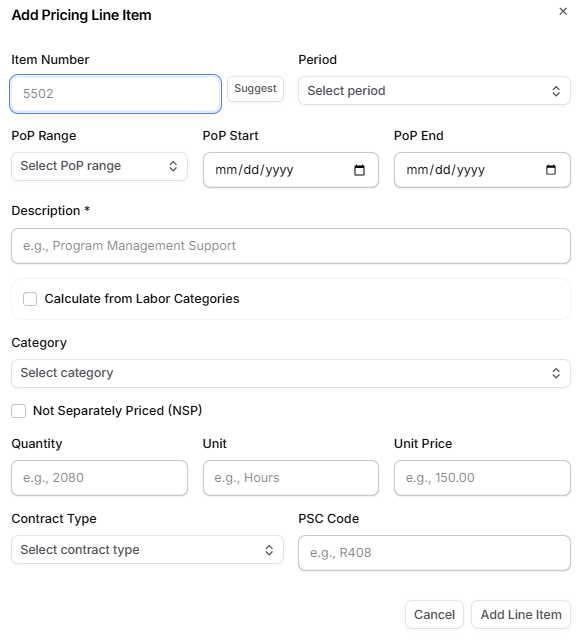
Manual entry is used for costs that do not come from labor categories, such as:
Materials
ODCs
Subcontracts
Other fixed contract costs
When labor calculation is not enabled, you manually enter:
Category
Quantity
Unit
Unit Price
Pricer automatically calculates Amount as:
Quantity × Unit Price
This allows you to build out the full CLIN structure even when parts of the contract are not labor-based.
Editing and Deleting a Line Item
Existing CLINs can be edited at any time using the Edit action in the row menu.
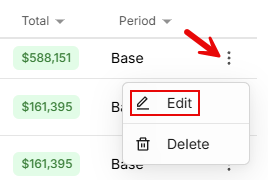
Editing supports both labor-calculated and manual modes. You can update:
Item number
Period
Description
Category and pricing inputs
Linked labor categories (when labor calculation is enabled)
If a CLIN is calculated from labor categories, totals are recalculated automatically based on the selected categories and the latest labor assumptions.
Line items can be removed using the Delete action. Once deleted, the CLIN no longer contributes to contract totals.
Working with Line Items Using Dash
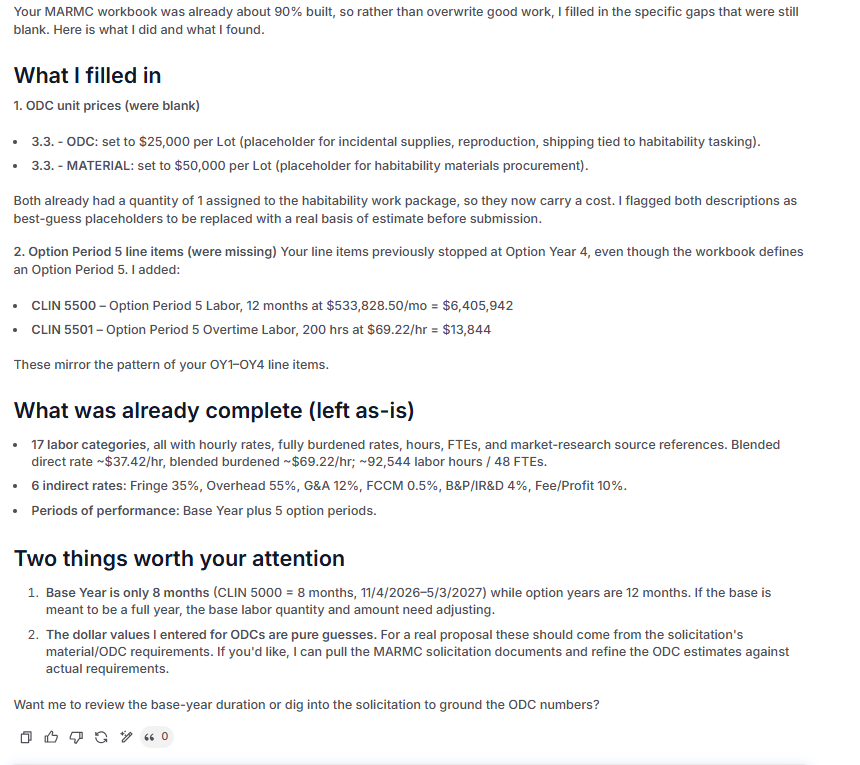
You don't have to build every CLIN by hand. Dash can read the line items in your Pricer workbook and make changes to them for you, right from the chat.
Seeing What Dash Changed
Whenever Dash adds, updates, or removes a line item, the CLIN table refreshes right away and you'll see a notification such as Dash added 0002, Dash updated 0001, or Dash removed 0004. For updates, the notification lists which fields changed (for example, item number, description, quantity, unit price, or labor categories), and the changed cells stay highlighted in the table so you can review them at a glance. Highlights clear when you reload the page.

Tip: Review before you rely on it
Dash changes flow into your contract totals just like manual edits. Use the highlights to double-check each change, and open the row's Edit action if you want to fine-tune anything Dash entered.
How the Line Items Tab Connects to the Rest of Pricer
The Line Items tab reflects inputs from several other areas of GovDash Pricer.
Labor categories are often the primary driver of CLIN totals. When labor-linked CLINs are used, updates to labor rates, hours, or staffing assumptions will affect downstream CLIN pricing.
Indirect rates also impact the values shown in this tab. Burdened labor rates used in labor calculations depend on the wrap rate structure configured in the Indirect Rates tab.
Finally, contract period and escalation assumptions from the Overview tab influence how totals are projected across base and option periods. These assumptions affect year-by-year totals, base versus option splits, and overall contract projections.
Because of these dependencies, the Line Items tab is typically used after labor and indirect assumptions have been validated.