GovDash Pricer helps teams build complete, defensible government-contract pricing models faster and with greater confidence.
Instead of managing labor, indirect rates, ODCs, BOEs, and contract line items in disconnected spreadsheets, GovDash Pricer brings everything together in one integrated workspace. Data flows across the system, so updates in one area automatically recalculate throughout the workbook.
The result is a connected pricing model that is easier to review, easier to explain, and easier to maintain.
How Pricer Is Organized
GovDash Pricer is organized into the following core pricing areas:
Overview: Review your Pricing Snapshot, contract assumptions, target values, labor and non-labor coverage, Work Breakdown, Basis of Estimate readiness, and Strategy Narrative.
Strategy Narrative: From Overview, generate, review, edit, and reuse the five-part pricing narrative based on the current workbook. Strategy Narrative opens from Overview rather than appearing as a separate visible Pricer tab.
Labor Categories: Manage roles, rates, hours, classifications, position counts, wage determination details, and work-package assignments.
Other Direct Costs: Manage travel, materials, subcontracts, equipment, and other non-labor direct costs, including quantities, unit prices, CLINs, and work-package assignments.
Work Breakdown: Organize solicitation scope into work packages that drive labor, direct-cost, and Basis of Estimate assignments.
Basis of Estimate: Review and refine the detailed estimate by work package.
Line Items: Review extracted contract line items and build or refine the CLIN and SLIN structure used for proposal pricing output.
Indirect Rates: Configure rate pools, allocation bases, Fringe, Overhead, G&A, Fee or Profit, and wrap-rate assumptions.
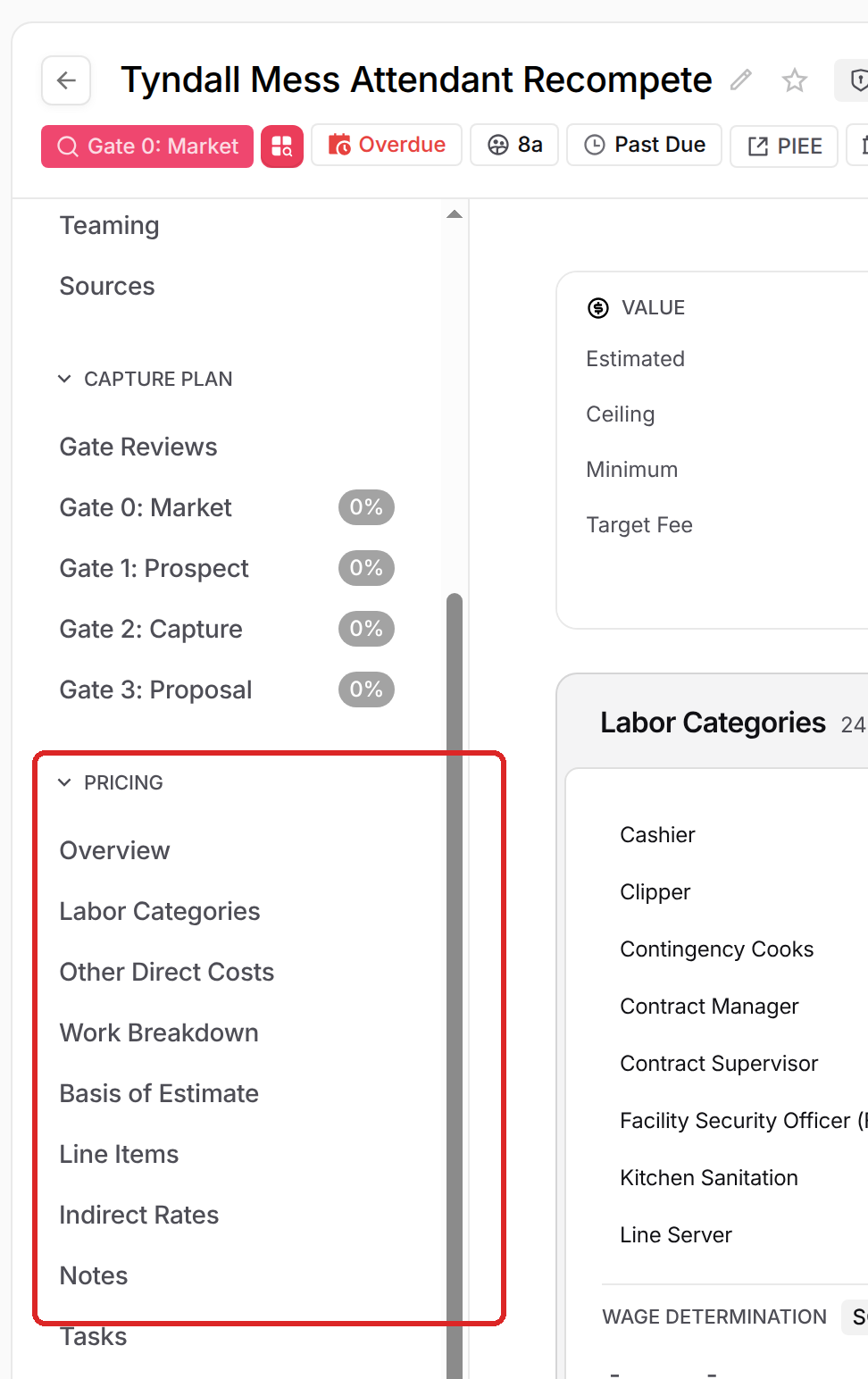
You can find every tab in the PRICING section of the opportunity's left menu, along with Notes and Tasks for opportunity-level collaboration and follow-up.
There is also a Pricing Settings area where teams can create reusable indirect rate templates.
Each tab builds on the others, and updates in one area automatically flow through the rest of your pricing model.
Typical Workflow
Start by creating a workbook: select New Workbook on the Pricer dashboard, or open an opportunity's PRICING section and select Initialize Pricing. The opportunity's documents must finish processing first. Pricer then extracts labor categories, wage determination details, period structure, contract values, line items, FTE hours, and other pricing data from the solicitation, then synthesizes a Work Breakdown Structure. During initialization, Dash makes a first pass at missing market-based labor rates, hours and FTEs, ODC unit prices and assignments, and when line items are present, line-item quantities, units, and prices. Review all generated values and assumptions before treating them as final. Initialization and the follow-on Work Breakdown and market-data work can take several minutes; you can leave and come back.
Most users follow a repeatable workflow:
Review Overview: Validate the Pricing Snapshot, period of performance, contract type, target value, Target Fee, P(Win), labor coverage, Other Direct Costs, Work Breakdown coverage, and Basis of Estimate readiness.
Refine Work Breakdown: Confirm work packages, scope descriptions, source coverage, labor assignments, and Other Direct Cost assignments.
Review Labor Categories: Confirm roles, rates, hours or FTEs, classifications, position counts, wage determination details, and work-package assignments.
Review Other Direct Costs: Confirm categories, units, quantities, unit prices, CLINs, and work-package assignments.
Configure Indirect Rates: Confirm rate pools, allocation bases, Fringe, Overhead, G&A, Fee or Profit, and wrap-rate assumptions.
Review and build Line Items: Validate extracted CLINs and SLINs, add missing line items, and confirm proposal pricing output.
Finalize the Basis of Estimate: Validate work-package costs, readiness, totals, and pricing logic.
Generate and refine Strategy Narrative: Create the five narrative sections from the current workbook, then edit and regenerate them as pricing assumptions change.
Because the model is integrated, updates in one area automatically flow through the rest of the workbook.
What to Expect from Pricer
GovDash Pricer is designed to provide:
Faster pricing setup: Start with structured data instead of building from scratch.
Connected calculations: Labor, indirects, ODCs, BOE, and line items stay aligned.
Traceability: Tie pricing decisions back to source requirements.
Flexible editing: Adjust assumptions at any level of the model.
Real-time updates: Changes automatically recalculate totals and burdened rates.
Proposal-ready outputs: Structure pricing in a format that supports government proposals.
Proposal-ready pricing narrative: Generate, review, edit, and reuse a five-part Strategy Narrative based on the current pricing workbook.
Reusable team settings: Standardize Pricer phases, allocation bases, and indirect-rate templates across opportunities.
The system is built to support both early-stage ROM pricing and detailed final proposal pricing.
At the team level, the Pricing Settings page lets authorized users configure Pricer phases, allocation bases, and reusable indirect-rate templates. These settings are available across opportunities, while opportunity-specific pricing inputs are managed inside each workbook. See Pricer Settings for setup details.